If you learn guitar from YouTube, you have a folder of bookmarks somewhere with 80+ saved lessons in it. You haven’t opened most of them. The ones you have opened, you watched once.
That’s not a library. That’s a wishlist.
A real practice library has a small number of active videos, each with a few named looped sections, and a clear answer to the question “what am I drilling this week?” This page is about how to get from the first version to the second.
What goes in the library
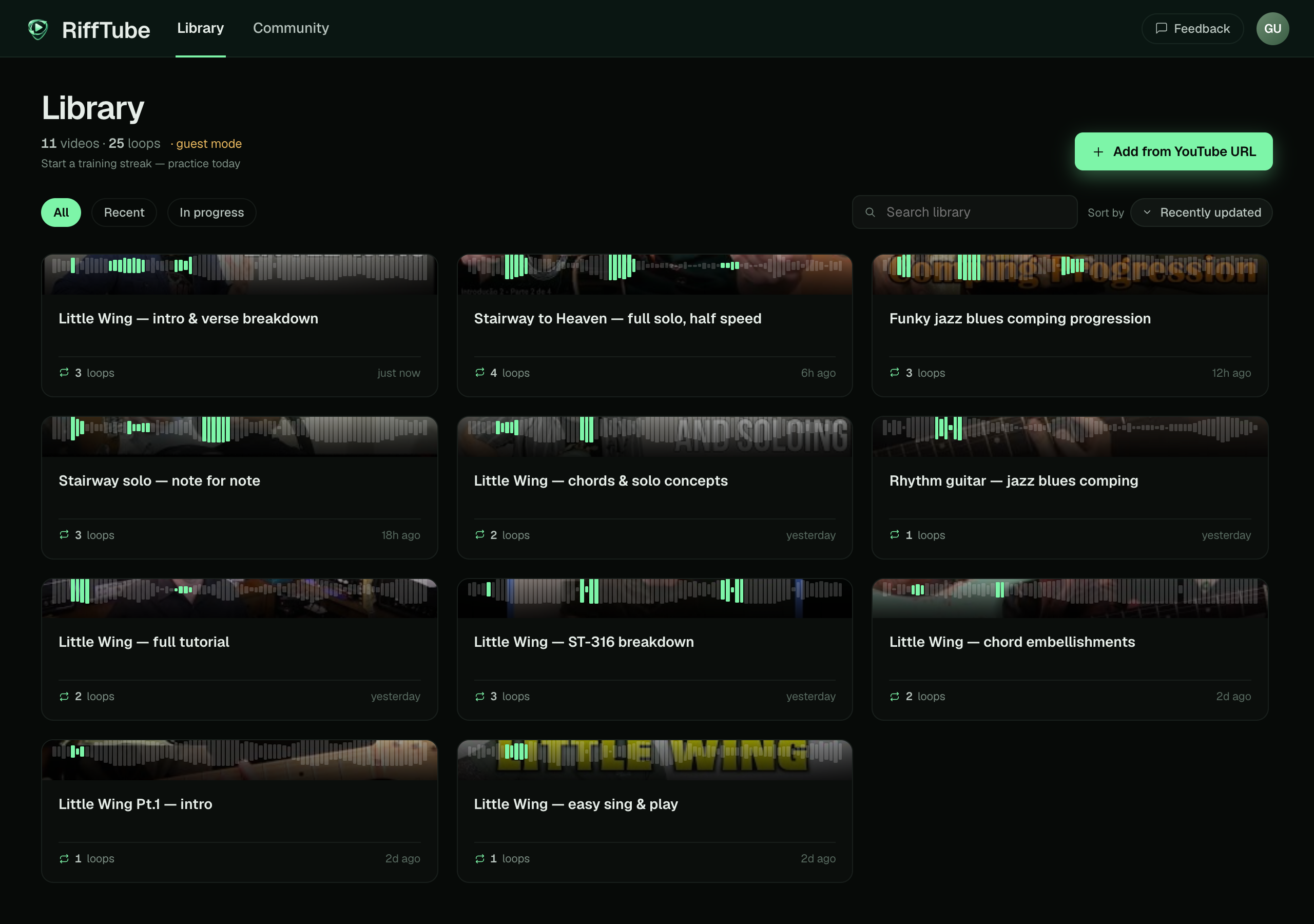
A useful practice library has three kinds of entries:
- Songs I’m actively learning. 3–5 of these at a time. Each one has 3–6 named loops covering the sections worth drilling.
- Skill lessons I’m currently working through. 2–4. Things like “alternate picking exercise,” “diatonic arpeggios in A minor,” “barre chord transitions.”
- Backing tracks I use. 3–6. The slow blues in A, the funk jam in E, the metronome substitute for whatever you’re working on.
That’s roughly 10–15 videos total in an active library. More than that and you’re not running a library, you’re running an archive.
What doesn’t go in the library
- The lesson you watched once and thought “I should learn that someday.”
- The cover of a song you don’t actually plan to play.
- The 20-minute theory deep-dive you’ve never finished.
- Anything tagged “for later.”
These belong in a YouTube “Watch later” or a bookmark folder, not in your practice library. The practice library is for things you’re going to put reps on — not things you’re going to watch.
The fastest way to ruin a useful library is to confuse those two functions.
Naming loops so future-you finds them
Every loop in your library should have a name that tells your future self what to drill. Bad names are timestamps (“0:43–0:51”). Good names are intentions (“chorus solo bend”).
A simple convention that works:
- {section} for song parts: “intro lick,” “verse riff,” “chorus solo,” “outro run.”
- {difficulty marker} for the tricky bits: “the F# bend,” “fast run at bar 5,” “the position shift.”
- {tempo target} if you’re working a tempo ladder: “chorus solo · 75%,” “chorus solo · 100%.”
You don’t need a system. You just need names that aren’t timestamps.
A weekly library prune
The library only stays useful if you prune it. Once a week, take five minutes and ask three questions for each video:
- Did I drill anything from this video this week?
- Yes → keep it.
- No → see question 2.
- Am I going to drill from it next week?
- Yes → keep it for one more week, mark it.
- No → archive or delete.
- Is this video an aspiration or a project?
- Aspiration (“I’d love to learn this someday”) → bookmark folder, not library.
- Project (specific song you’re learning) → keep.
If a video survives three weekly prunes without drill activity, archive it. You can always add it back when you’re ready.
The version of this that almost everyone gets wrong: keeping videos because “I might want to come back to this.” You can come back to it from YouTube directly in 10 seconds. The video stays available; you’re not deleting it from the internet. You’re just keeping it out of your daily practice surface.
Library across devices
The practical setup most people land on:
- Laptop / web app for setting up loops on a new video. Big screen, fine-tune controls easier, can read tab in another tab.
- iPhone for the actual practice. Phone on a stand near the guitar, taps to switch loops, hands on the instrument.
The same library on both, synced through your account. You add the loop on the laptop in the morning; you drill it on the phone that evening. No re-setup.
This is the main reason a practice library beats a bookmark folder: the bookmark folder lives in one browser on one device. A real library moves with you.
When the library is doing its job
You’ll know the library is working when you sit down to practice and the question “what should I work on?” has an obvious answer.
- If the library is full of stale aspirational videos, the answer is “I don’t know” and you scroll for ten minutes and don’t practice.
- If the library is tight and current, the answer is “the four loops on this song, plus the picking exercise.” You start in under a minute.
That’s the only metric that matters. Library size, organization scheme, naming — all of it is in service of “next practice session starts in under 60 seconds.” If your library does that, it’s working. If it doesn’t, prune it.