YouTube has a built-in playback speed control. It’s the gear icon → Playback speed → pick anything from 0.25× to 2×. It preserves pitch, which is the only reason it’s useful for guitar practice.
What YouTube doesn’t have is a way to combine the slow speed with a tight loop. That’s the missing piece — speed alone isn’t enough.
The actual problem with slowing down a guitar lesson
If you drop a 12-minute lesson to 0.5×, you now have a 24-minute video to scrub through. You’re trying to learn one 8-second phrase that’s now 16 seconds, surrounded by 24 minutes of slowed-down talking.
You scrub to the lick, you watch it once at half speed, you scrub back, watch it again, lose your place, scrub again. The slow-down made the phrase playable but made the practice session less efficient, not more.
The fix: slow the video down and loop the phrase. Two controls, same screen.
How to slow down + loop in one place
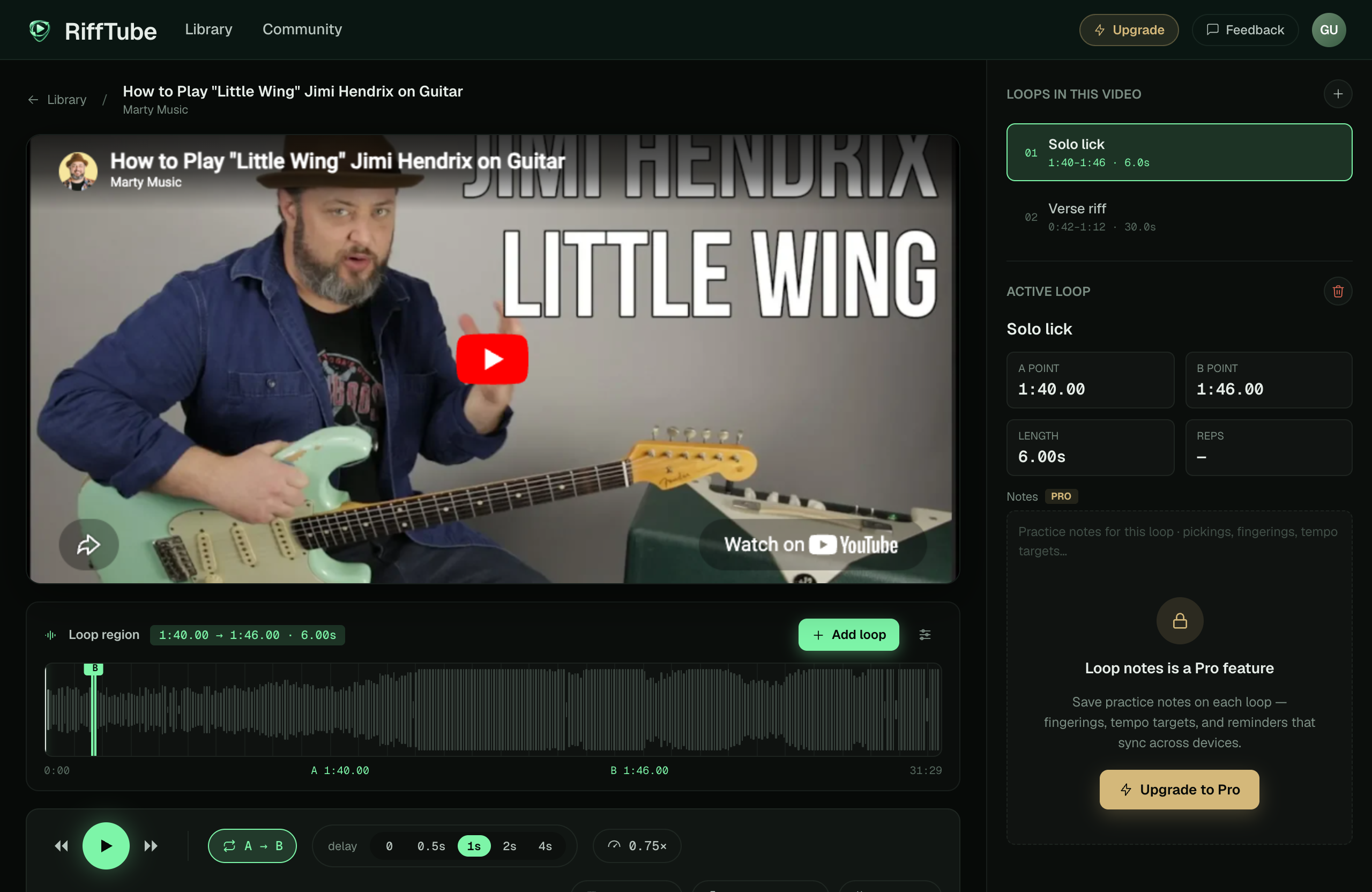
In RiffTube — the iPhone app or the web app:
- Paste the lesson URL.
- Find the lick, set A at the start and B at the end. Loop is active.
- Set the speed to 0.75× or 0.5×. On iPhone, tap it in the speed row under your loops; on the web, click the speed pill until it reads the speed you want.
At 0.5×, a 6-second phrase plays over 12 seconds, on repeat, until you stop it. You play along at the slow tempo until it locks in, then step the speed back up: 0.75×, then 1×.
That’s the whole thing. Two taps for the loop, one for the speed.
The speed-up rule
The most useful rule in slow-tempo practice: only push the tempo up after 10 clean reps in a row.
That’s strict. “Mostly clean” doesn’t count. If you got 8 clean reps and 2 with a buzz, the tempo is still too fast — you’re training the buzz in. Drop back one speed and try again.
When 10 reps go by clean, move up one speed — 0.5× to 0.75×, or 0.75× to 1× — and reset the counter to zero. Repeat until you’re at 1× and the phrase is automatic.
If the jump from 0.75× to 1× is too big, shrink the loop instead of the speed: drill just the hardest two or three notes at full speed, then widen the loop back out.
Most fast licks take 30–90 minutes of this to lock in. A whole solo with 5 phrases is a 3–6 hour project across several sessions. The reason the tempo ladder feels slow is because muscle memory is slow — there’s no shortcut.
Why YouTube’s built-in slow-down isn’t enough on its own
YouTube’s speed control is genuinely useful — many guitar teachers explicitly tell students to use it. The gap is just that it’s separate from looping. You end up doing:
- Slow speed without loop: keep losing the phrase, scrubbing manually.
- Loop without slow speed: phrase repeats but you can’t play it cleanly because it’s too fast.
- Slow speed + loop: drillable.
A loop tool with built-in speed control gives you the third option without leaving the player.
Slow speed for whole solos
For learning a whole guitar solo from YouTube, the slow-then-loop workflow stacks like this:
- Loop phrase 1 at 0.5×, drill until clean.
- Push to 0.75×, drill until clean.
- Push to 1×, drill until clean.
- Move loop to phrase 2, start over at 0.5×.
- After all phrases are clean at 1×, expand a loop to cover two adjacent phrases and drill the transition.
Each phrase is its own little tempo ladder. The slow speed is the way you get a clean first attempt; the loop is the way you turn that clean attempt into muscle memory.
On iPhone
The YouTube iPhone app has speed control, but it doesn’t combine with section looping. The RiffTube iPhone app does: the speed row sits right under your loops, so you can drill a lick at 0.5× with the phone on a stand and the guitar in your lap.
If you also practice on a laptop, the web app has the same speeds, and your loops sync between the two. Setting up loops on the bigger screen and drilling them on your phone works well, but you don’t need the laptop to slow anything down.