If you teach guitar and the bulk of your weekly assignments boil down to “go watch this video and practice,” you’re probably losing students to the gap between watching and practicing.
YouTube is great for showing. It’s terrible for drilling. That’s the part the student has to do alone, and it’s the part most of them don’t actually do — they re-watch the video twice, play along once, and call it practice.
This page is a workflow for closing that gap.
The 30-second weekly assignment
For each student each week, you send one message in this shape:
This week: lesson at {youtube_url}, the section from {start_time} to {end_time}. Target: ten clean reps in a row at the marked tempo by next lesson.
That’s it. Three pieces of information: the source, the bounds, the target.
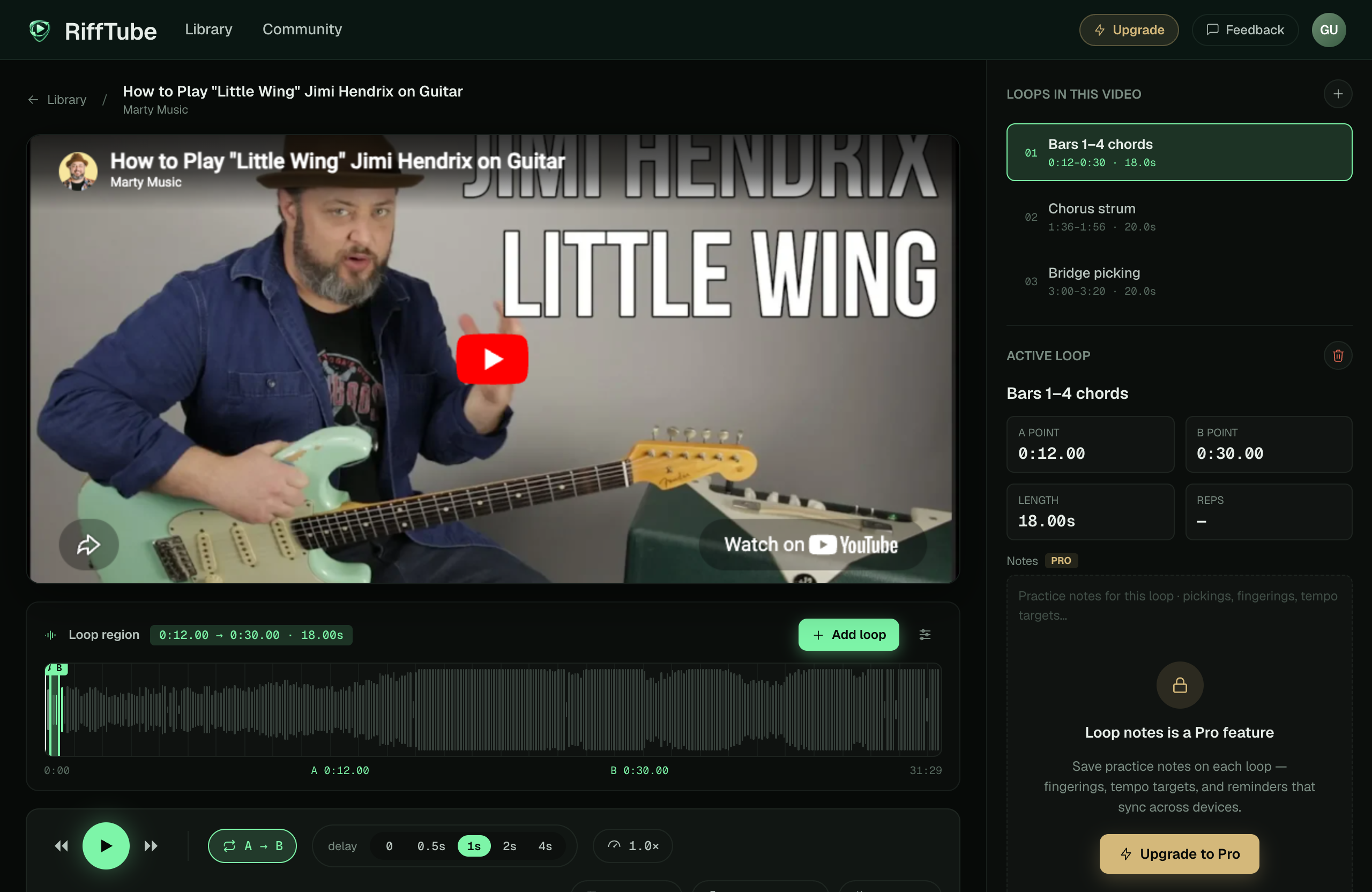
If you’re using a free loop tool like RiffTube, the student opens the URL, taps A at the start time, taps B at the end time, and is drilling reps inside 20 seconds. You don’t need to install anything for them, send them a special link, or set up an account on their behalf.
Why “ten clean reps” matters more than “practice for 30 minutes”
“Practice for 30 minutes” is a time prescription. Students hear it as “make it through 30 minutes of feeling vaguely bad about your playing” and quietly avoid it.
“Ten clean reps in a row at the marked tempo” is a state prescription. It’s measurable, it’s binary (you got there or you didn’t), and it makes the work end. A motivated intermediate student can usually hit ten clean reps on a 6-second phrase in 10–20 minutes. An advanced student does it in 5. Either way they leave the session feeling like they accomplished a specific thing.
The number is also how you hold the next lesson accountable. “How many clean reps in a row did you get on the chorus loop?” is a precise question. “How was practice this week?” is a hand-wave.
Make the loop small enough to be drillable
The single most common student mistake is looping too wide a section. They mark A at the start of the chorus and B at the end of the chorus and try to drill 30 seconds of music.
A drillable loop is 4–12 seconds. One lick, one chord change, one position shift. If the student says “I can’t get clean reps,” 80% of the time the fix is to tighten the loop, not to slow it down.
When you write the assignment, lean toward narrow bounds:
- Good: “The bend at 1:14–1:21” (7 seconds, one phrase).
- Less good: “The chorus at 1:10–1:38” (28 seconds, multiple distinct things).
If the chorus has three drillable phrases, that’s three assignments — or three named loops in one assignment — not one loop covering all of them.
Stack a slow-tempo and a full-tempo loop
For fast material, give the student two loops on the same section: one to drill at slow tempo and one at full speed.
This week: lesson at {url}, the lick from 2:08 to 2:14. Drill at 0.75× until ten clean reps in a row, then at 1.0× until ten clean reps in a row.
That’s the whole intermediate-to-advanced ladder in one assignment. The student doesn’t have to figure out the tempo strategy — you told them. The tool does the rest.
Closing the feedback loop
The hardest part of teaching from YouTube is that you don’t see the practice. You see the result at the next lesson, and the result is the integral of a week of unobserved work.
A few things help:
- Have them save their loops. Every loop they save against the assigned video becomes a record of what they actually practiced. At the next lesson, you can open their library and see whether they drilled the assigned section.
- Ask for a 30-second phone recording. “Send me a clip of your best take of the chorus loop by Thursday.” Most students will do this once they realize you’ll actually listen.
- Re-assign the same loop if it’s not clean. Don’t move to new material until the current material is drilled. The temptation is always to add more; the right move is usually to repeat.
For the teachers reading this
If you teach guitar and try this workflow with your students, I’d like to hear how it goes: what worked, what got in the way, what’s missing. The teachers page has my email.
The same workflow above works whether the student uses Free or Pro — Free is genuinely enough for a single weekly assignment. The thing that matters is the format of the assignment itself: URL, two timestamps, a target.