A–B repeat is the single most useful thing missing from YouTube for instrument practice.
It’s the workflow every guitar teacher describes: pick a section, isolate it, play it slowly twenty times, then move on. YouTube ships none of that. RiffTube is built around it.
What A–B repeat means in practice
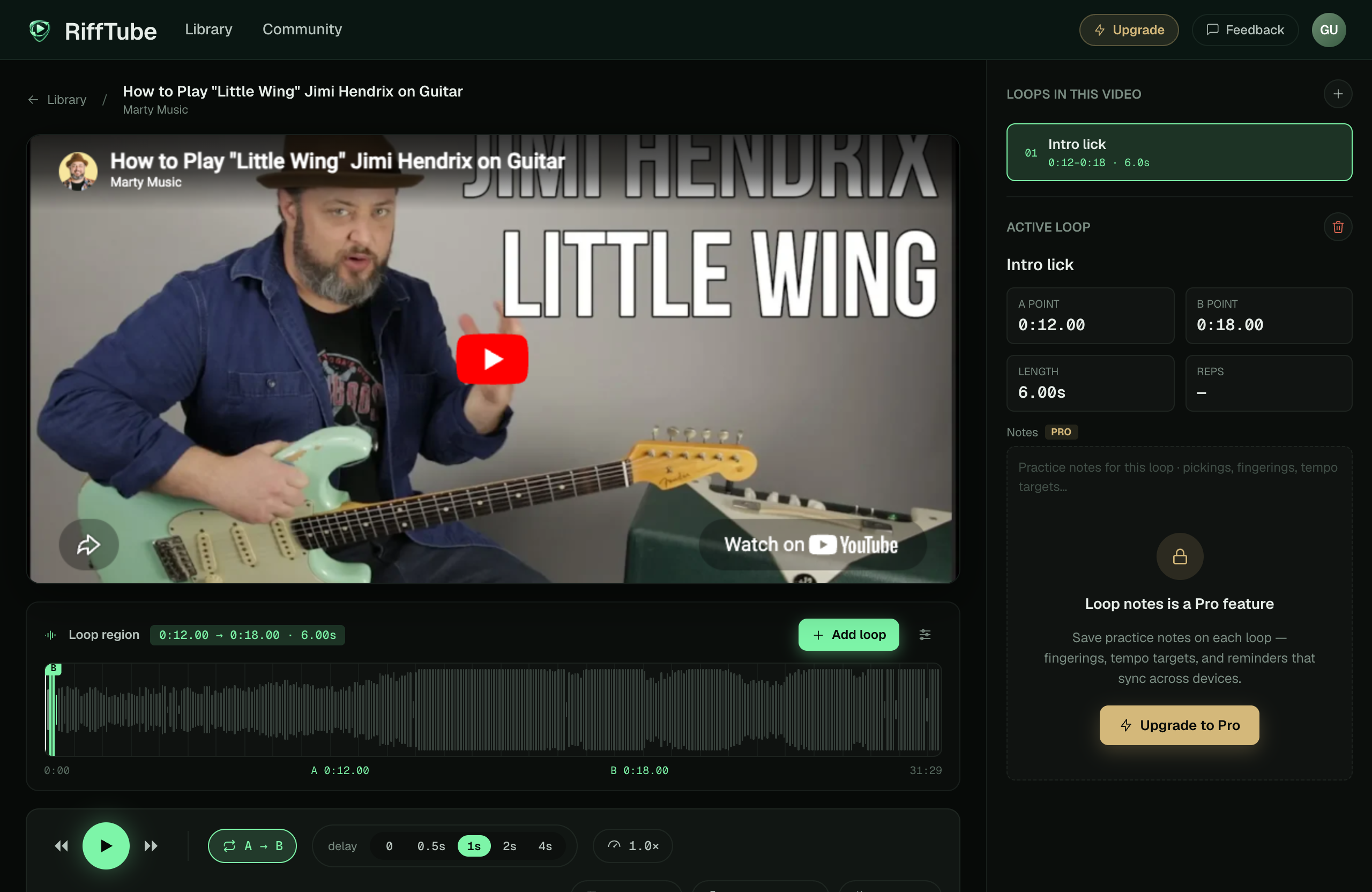
You set two markers: A is where the loop starts, B is where it ends. The player cycles between them indefinitely.
That’s it. The trick isn’t the feature — it’s what the feature changes about how you spend a practice session.
The “I practiced for an hour” problem
Without A–B repeat, most guitarists practice from YouTube like this:
- Watch the lesson once.
- Scrub back to the hard part.
- Play along, miss it, scrub back.
- Lose the timestamp.
- Play the whole video again to find it.
- Repeat for 45 minutes.
You feel like you practiced. You actually played the hard part four times.
With A–B repeat:
- Watch the lesson once.
- Set A and B around the hard part.
- Play it 20 times in a row.
- Move A and B to the next hard part.
- Repeat.
Same 45 minutes. Five hard sections, 20 clean reps each. That’s actual practice.
How to set A–B on a YouTube guitar lesson
In RiffTube (free, iPhone + web):
- Paste the YouTube URL.
- Play to the start of the section — tap A.
- Play to the end of the section — tap B.
- Toggle the loop on.
If the start or end is off by a fraction of a second, use the fine-tune controls to nudge by 100 ms increments until A lands exactly on the downbeat.
Add a replay delay
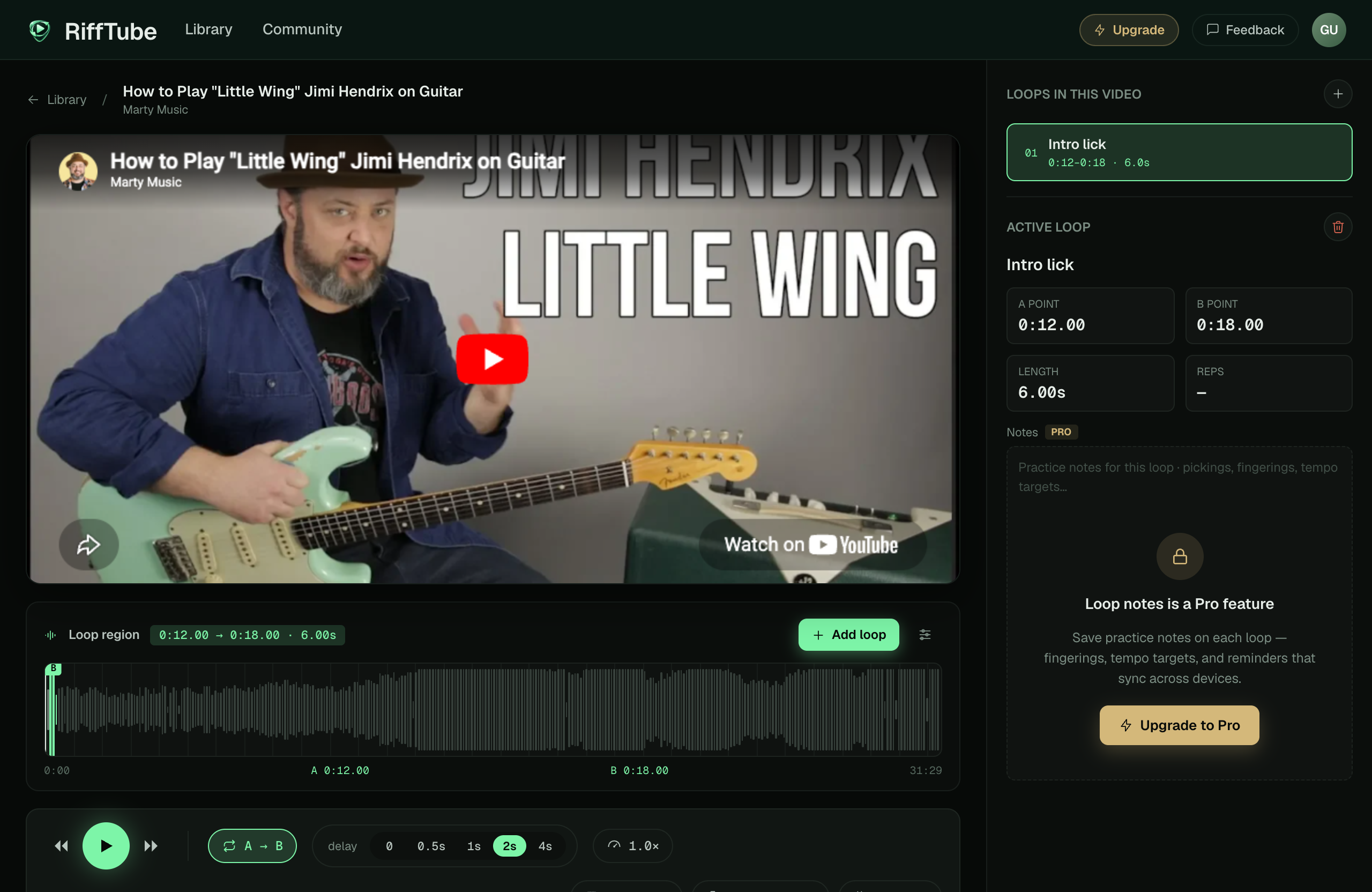
The thing nobody tells you: a tight loop with no pause between repeats is exhausting. Your hands don’t get to reset.
Set a 1–3 second replay delay between loops. That gap is when you reset your left hand, take a breath, and prepare for the next rep. It’s the difference between drilling and panicking.
Save the loop so you don’t redo this work next session
Every A–B loop you set in RiffTube saves to that video. Tomorrow when you come back to the lesson, the loops are still there. Name them — “verse 1 lick”, “the F# bend” — and jump between them with a tap.
Practice library, not bookmark list.
When A–B repeat isn’t enough
If you’re working on a really fast lick, A–B alone won’t fix it — you also need to slow it down. RiffTube’s web player has adjustable playback speed, so you can A–B-loop a section and play it at 75% until the fingering locks in, then push it back to full speed.
For the guitar practice loop most people need, though, A–B is 80% of the value. Start there.